Deriv withdrawal
Deriv Withdrawal Guide 2026: Methods, Time, Fees & Fixes
Learn how Deriv withdrawals work in 2026: Wallet transfers, available methods, verification, processing time, fees, pending requests and practical fixes.
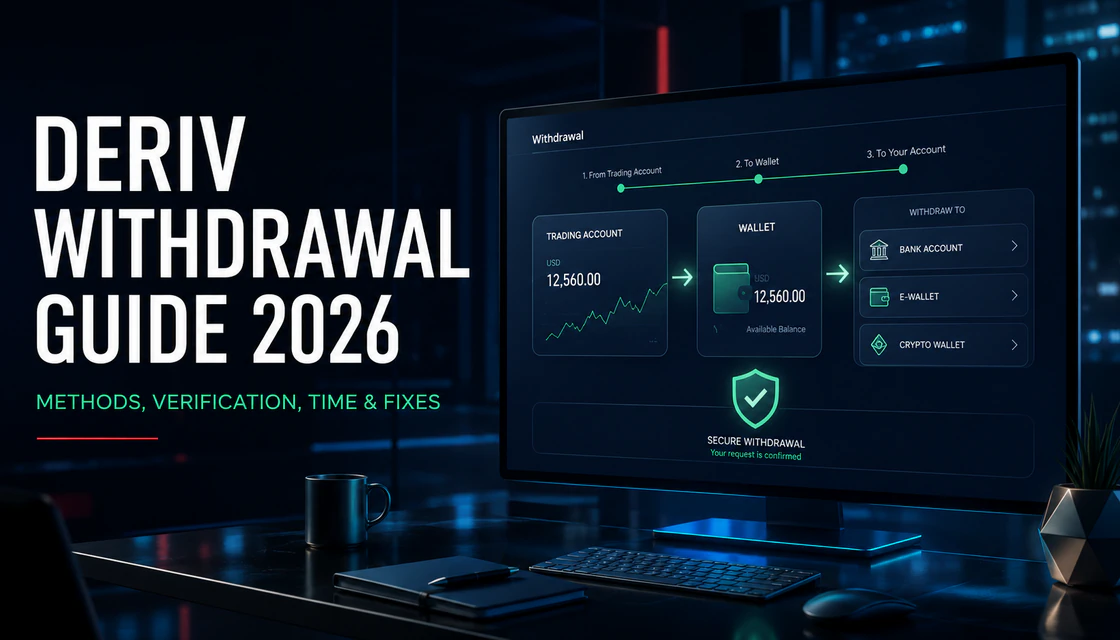
Key points
- Move funds from the relevant trading account to the Deriv Wallet before starting an external withdrawal, then use only a route shown for your account.
- Treat Deriv's internal processing and the bank, payment provider or blockchain settlement as separate stages with separate timelines.
- Use payment details you control, complete requested verification, check live limits and fees, and save the transaction reference before contacting official support.
Deriv withdrawal: the useful answer first
To withdraw from Deriv, first move funds from the relevant trading account—such as Deriv MT5—back to your Deriv Wallet. Then open the withdrawal area, choose a method displayed for your own account, enter an amount inside the live limits, complete any requested verification, and confirm the request. The method list, minimums, maximums, fees and final delivery time can vary by country, account currency, payment provider and compliance status.
Deriv states that deposits and withdrawals are processed internally within 24 hours, depending on the method and internal checks. That is not a promise that money will reach a bank, card, e-wallet or blockchain address within 24 hours: provider, bank and network processing can add time. The correct way to judge a delay is to separate Deriv processing from the external settlement stage.
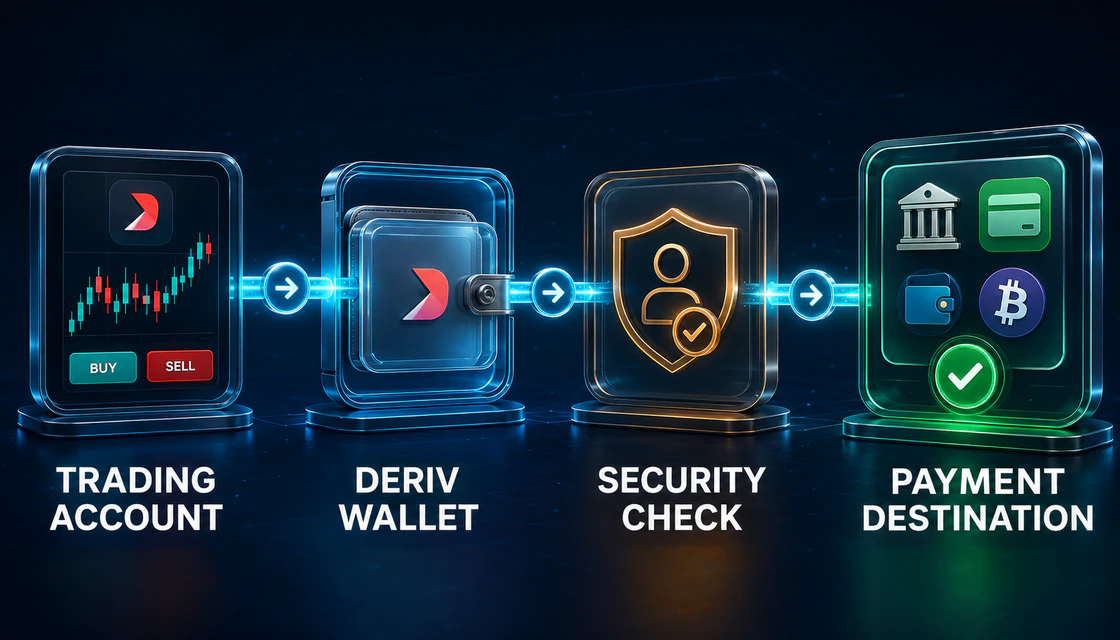
How the Deriv withdrawal system works
The operational chain: trading account → Deriv Wallet → security check → payment destination.
Deriv is an ecosystem with separate trading accounts and a central Wallet. A balance visible inside MT5 is not automatically sitting in the withdrawal-ready Wallet. Deriv’s help centre says an MT5 withdrawal begins with an internal transfer from MT5 to the Deriv Wallet; that internal transfer is described as instant. Only after the balance reaches the Wallet does the external withdrawal route begin.
Stage 1: trading account to Wallet
Close or reduce positions only according to your trading plan and confirm that enough free balance is available. Transfer the amount from MT5 or another supported trading account to the Wallet. Do not confuse an internal transfer with an external withdrawal: moving money to the Wallet has not yet sent it to your bank, e-wallet or crypto address.
Stage 2: Wallet to payment method
Open the Wallet withdrawal screen and select an available method. A method normally appears only when it is supported for withdrawals on the account. Deriv also notes that a payment method may appear only after the first deposit, and a deposit-only method may not be usable for withdrawals. If a method is absent, do not try to force it through an unofficial intermediary.
Stage 3: internal review and external settlement
After submission, Deriv can apply authentication, KYC, anti-money-laundering and security checks. Once the request is released, the bank, card issuer, e-wallet, payment agent or blockchain network completes settlement. Each stage has a different owner, so a useful support message identifies exactly where the request stopped.
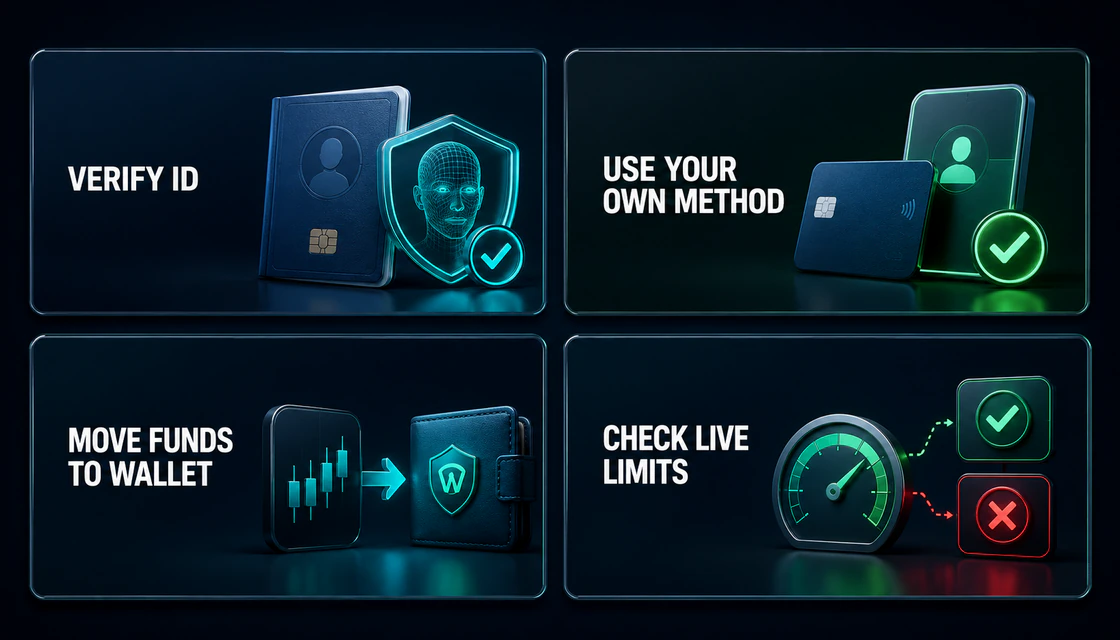
Before you request a withdrawal
Four checks prevent many avoidable withdrawal problems.
- Verify that your profile name, date of birth, country and address are accurate and consistent with your documents.
- Use a payment method, bank account, card, e-wallet or wallet address that you control. Deriv prohibits using another person’s card or e-wallet.
- Complete any requested proof of identity, liveness check and proof of address through the official account flow.
- Move funds from the trading account into the Deriv Wallet before looking for an external payment route.
- Check the live minimum, maximum, currency, fee and estimated time shown for the selected method.
- Confirm there are no open positions, margin needs, bonus effects or account restrictions that make the requested amount unavailable.
- Save the amount, currency, request date, transaction ID, destination and current status before contacting support.
Deriv verification and KYC for withdrawals
Verification is a security and compliance control, not a prediction that every withdrawal will be delayed. Deriv says proof of identity generally requires a valid government-issued ID showing name, photo and date of birth. Proof of address can include an accepted ID with address, a recent utility bill, bank statement or government-issued letter. Address documents should generally be issued within the last three months.
Deriv says verification often completes within minutes after valid documents are submitted, but the actual time can increase when files are unclear, expired, cropped, incomplete or inconsistent with the profile. If verification is requested, complete it before repeatedly cancelling and recreating withdrawals.
Why documents are rejected
- The image is blurred, dark, reflective, cropped or missing document edges.
- The ID is expired or the document type is not accepted for that verification step.
- The legal name, date of birth, address or country does not match the Deriv profile.
- A screenshot was uploaded where a clear scan or original photograph was required.
- The address document is older than the accepted period or lacks the issue date.
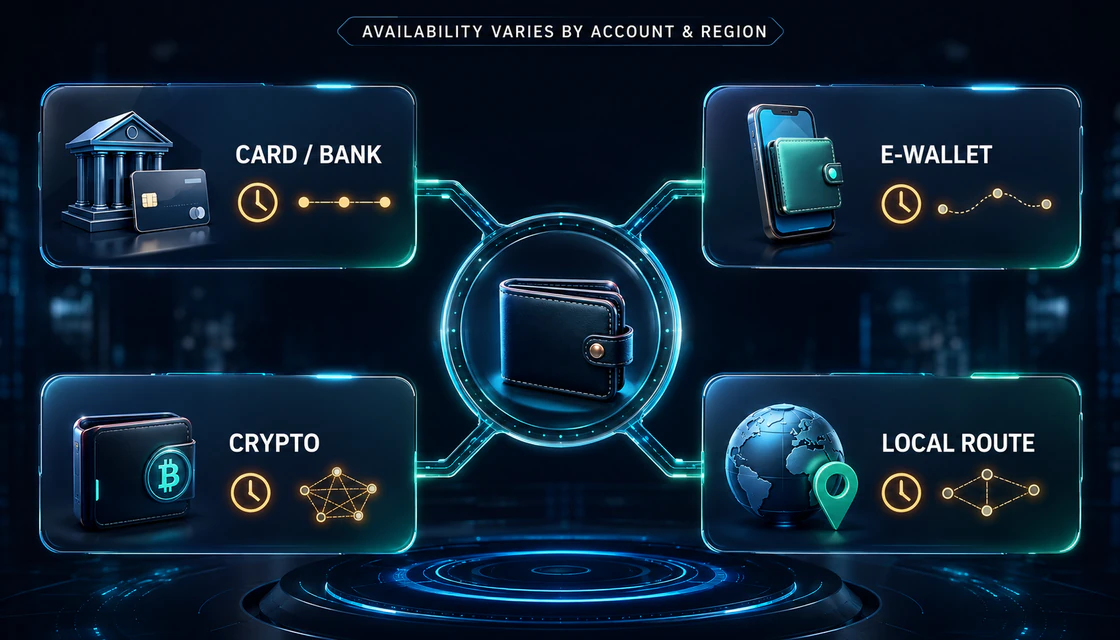
Deriv withdrawal methods
The routes shown in Cashier depend on account, region, currency and provider availability.
Deriv’s available routes can include bank or card-related methods, e-wallets, supported cryptocurrencies, payment agents or local options such as P2P where the service is offered. This is a category map—not a promise that every route is available to every user. The live account screen decides what can actually be selected.
| Route | What to verify | Main delay risk |
|---|---|---|
| Card / bank | Recipient name, bank details, currency, refund or payout route, live limits | Deriv review plus issuer, correspondent or bank processing |
| E-wallet | Correct wallet account, account ownership, currency conversion and provider fee | Provider review, account limits or currency conversion |
| Crypto | Asset, exact network, external address, memo/tag when required, network fee | Security review, network congestion, confirmations or wrong network |
| Payment agent / local route | Agent listed in the account, published credentials, commission and agreed method | Manual settlement, agent availability and dispute handling |
| Deriv P2P | Service availability, completed verification, counterparty terms and escrow status | Counterparty payment confirmation and scam attempts |
How long does a Deriv withdrawal take?
The most defensible baseline is Deriv’s current help-centre statement: it processes deposits and withdrawals internally within 24 hours, depending on method and internal checks. Funds can take longer to arrive because external providers have their own processing times. Card and bank arrival depends on the financial institution; crypto arrival depends on blockchain processing and confirmations.
Do not start a timer from a social-media promise. Start from the transaction record and identify the stage: submitted, under review, processed by Deriv, or waiting for the external provider. Weekends, banking holidays, currency conversion, enhanced verification and technical incidents can extend the visible journey.
Does Deriv charge withdrawal fees?
Deriv’s help centre says the selected payment method may charge a withdrawal fee. For crypto, network or processing adjustments may apply and should be displayed in the platform. Currency conversion can also be performed by the payment service provider at its rate. Check the net amount and currency before confirming; never assume “no Deriv fee” means the route is cost-free.
Step-by-step: how to withdraw money from Deriv
- Log in through the official Deriv website or app and review account security before moving funds.
- Open the trading account that holds the balance. If it is an MT5 account, transfer the required amount back to the Deriv Wallet.
- Confirm that the Wallet shows the transferable balance and that no required margin or unresolved transaction is using it.
- Open Withdrawal and inspect the methods actually displayed for your account, country and currency.
- Choose a method you own. Review minimum, maximum, fee, currency conversion, recipient details and estimated processing information.
- Enter the amount and destination carefully. For crypto, match both asset and network; verify every address character and any required memo or tag.
- Complete OTP, identity, address, payment-method or source-of-funds checks if requested.
- Submit once. Save the transaction ID, screenshot the status and avoid duplicate requests while the first is still active.
- Track both phases: Deriv’s internal status and the bank, provider or blockchain settlement status.
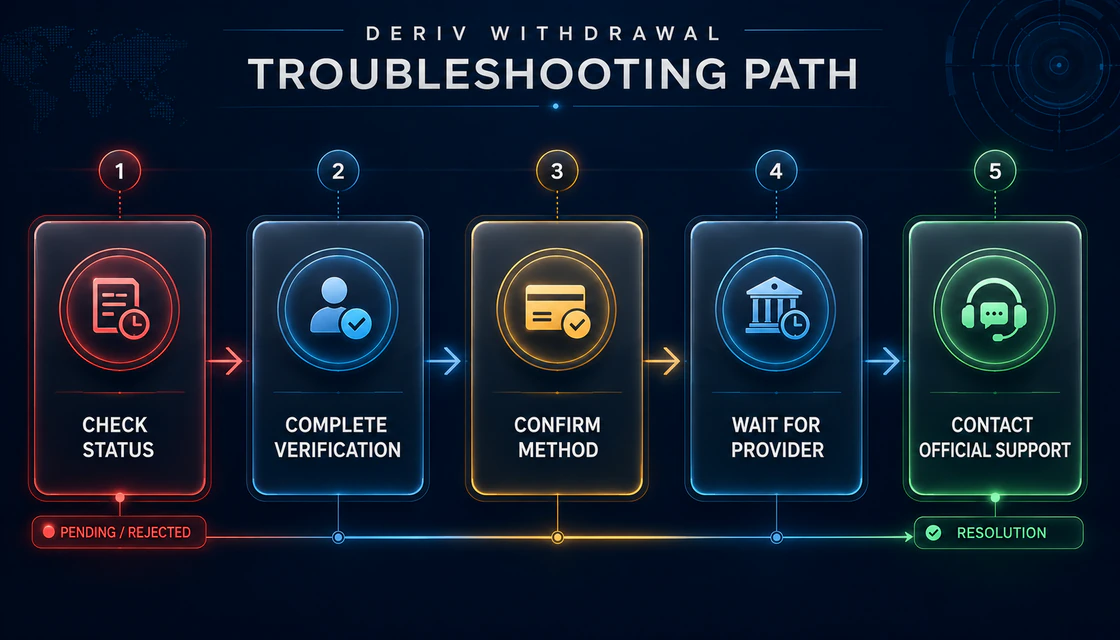
Why a Deriv withdrawal is pending, rejected or missing
Diagnose the stage before changing the method or contacting support.
The request is pending
Pending can mean internal review, authentication, compliance checks or a queue before release. Check whether Deriv requested documents or sent an email. If the request remains inside the stated internal window, repeated cancellation may create more work rather than speed.
The payment method is missing
Deriv says a method may appear after the first deposit, while some deposit methods do not support withdrawals. Refresh the Wallet, confirm the correct currency and check whether another eligible route is shown. Do not deposit again solely to “unlock” a route unless official support explains the requirement.
The withdrawal was rejected
Common operational causes include incomplete verification, mismatched personal data, third-party payment details, unsupported method, live-limit conflict, insufficient Wallet balance, destination error or a security restriction. Read the exact rejection message before opening a replacement request.
Deriv says processed, but money has not arrived
This usually shifts the investigation toward the provider stage. Ask the bank or e-wallet whether a transfer is pending and provide the reference where appropriate. For crypto, verify the transaction hash, network and confirmation status. Do not post a transaction reference or wallet security information publicly.
Crypto withdrawal is delayed
Blockchain timing depends on network conditions. A correct address on the wrong network can be permanently unrecoverable. Deriv’s terms place responsibility on the user to provide a valid, network-compatible address, and withdrawals can be blocked when security or KYT screening flags the destination.
What to send Deriv support
- Account email or client ID—never the password or OTP.
- Withdrawal transaction ID, date, time, amount, currency and method.
- Current status and the exact error message.
- A redacted screenshot that excludes full card numbers, passwords, seed phrases and unrelated personal data.
- Provider reference, bank trace information or blockchain transaction hash if Deriv already marked the request processed.
- A concise timeline of what was tried, without creating multiple duplicate tickets.
When to skip or cancel a withdrawal request
- Recipient details do not match the verified account holder.
- The crypto network, address or memo/tag is uncertain.
- The amount exceeds the live limit or would leave an open position without required margin.
- A bonus, promotion or account condition is not understood.
- Someone contacted you privately and is directing the withdrawal to a “safe” wallet or bank account.
- You are using a borrowed card, family member’s wallet or third-party payment account.
- The page is not the official Deriv route, or a remote-access tool is being requested.
Risk management: a withdrawal is not a profitability test
A successful withdrawal proves only that one operational request completed. It does not prove that a strategy has positive expectancy, that leveraged CFDs are suitable, or that future payments will be identical. Deriv's current Risk Disclosure warns that CFDs are complex instruments with a high risk of rapid loss due to leverage and that a client may lose all money invested. Product, entity and protection details differ by jurisdiction, so check the live disclosure shown on your own route.
Before funding, define a maximum loss allocation, fixed position-risk rule, daily stop, and a withdrawal policy. A practical policy might remove funds above a defined operating balance rather than increasing trade size after a winning period. Never use withdrawal friction as a reason to keep more money on a trading platform than the written plan requires.
Demo practice task: rehearse the withdrawal chain without sending money
A demo account cannot reproduce a real payment settlement, but it can train the operational sequence and documentation habits. Complete this short exercise before a real deposit:
- Locate the Deriv Wallet, trading-account transfer control, withdrawal screen, verification status and official support route.
- Write down which screens show live methods, limits, fees and status. Do not record passwords or security codes.
- Practise transferring virtual funds between demo components where the platform permits it, then explain the difference between an internal transfer and external withdrawal.
- Create a mock evidence record with date, amount, method, a sample transaction reference, status and provider stage.
- Run three scenarios: missing method, verification request and crypto-network uncertainty. For each, write the safe stop condition and next official step.
Beginner mistakes to avoid
- Treating the MT5 balance as immediately withdrawable without moving it to the Wallet.
- Using another person’s card, e-wallet, bank account or crypto instructions.
- Copying outdated minimums, maximums and method lists from a review instead of checking Cashier.
- Submitting multiple requests after a few minutes because the first one still says pending.
- Ignoring provider conversion rates, network fees or card/bank settlement time.
- Sending documents or OTP codes to unofficial “support” accounts.
- Testing a first withdrawal only after accumulating a large balance.
- Assuming a completed withdrawal makes the trading strategy safe or profitable.
Summary: use a controlled withdrawal workflow
The cleanest Deriv withdrawal starts before the request: accurate account data, documents ready, one-person ownership of payment methods, funds moved into the Wallet and live limits checked. Submit through the official interface, save the reference, and separate Deriv’s internal review from the external provider’s settlement time.
If something goes wrong, diagnose the stage instead of changing everything at once. Complete verification, confirm method eligibility, review bank or blockchain processing, and send official support a concise evidence package. Operational discipline protects time and data; trading discipline protects capital. You need both.
Quick answers
How do I withdraw funds from a Deriv MT5 real account?
Transfer funds from the Deriv MT5 account to the Deriv Wallet, then request the external withdrawal from the Wallet using a method displayed for your account.
How long can the withdrawal process take?
Deriv states that it processes withdrawals internally within 24 hours depending on method and checks. Banks, payment services and blockchains can add more time.
Why is my withdrawal method missing?
A method may appear only after a first deposit, or the deposit method may not support withdrawals. Check the live screen and contact official support if no eligible route appears.
Can identity verification be required before a withdrawal is approved?
Verification may be requested based on account and compliance checks. If prompted, complete proof of identity, liveness and proof of address through the official flow.
Can I withdraw to a card or wallet owned by someone else?
No. Use payment methods you own. Deriv says third-party cards and e-wallets are prohibited and can trigger account suspension.
Can the selected payment method charge a withdrawal fee?
The chosen payment method may charge a fee. Crypto network or processing fees and provider currency conversion can also apply. Review the live confirmation screen.
Why has a processed withdrawal not reached my bank?
Deriv processing and bank settlement are different stages. Ask the bank or provider about the transfer using the official reference after confirming Deriv marked it processed.
Can a cryptocurrency withdrawal be reversed?
Blockchain transactions are generally irreversible. Verify the asset, network, address and memo or tag before confirming.
Should I cancel a pending withdrawal?
Not automatically. First check the status, stated processing window and any verification request. Cancel only when the details are wrong or official support instructs you.
Does a completed withdrawal prove that trading is profitable?
No. It proves only that the payment request completed. Trading performance depends on strategy, costs, leverage, execution and risk discipline.
Next step
Choose a topic by task: brokers for platform selection, guides for access, strategies for setups, risk for discipline and investing for longer market logic.