Pocket Option account blocked
Pocket Option Account Blocked or Restricted: Causes, Recovery Checklist and What to Do
Is your Pocket Option account blocked or restricted? Learn the common causes, KYC and payment issues, multiple-account rules, support steps and recovery checklist.
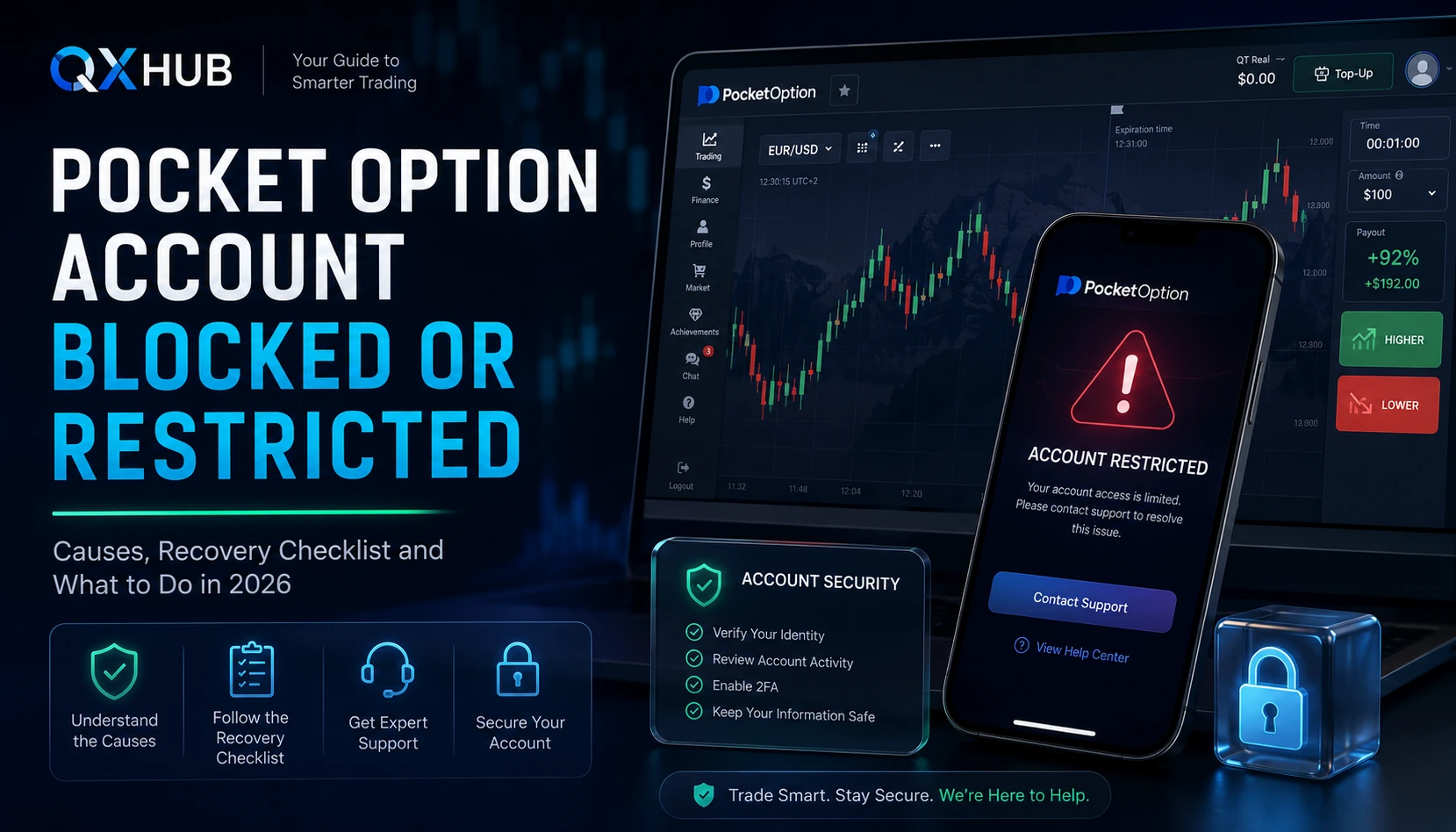
Quick answer
If your Pocket Option account is blocked or restricted, do not create another account. Record the exact message, check whether you can access Support, review verification and payment-method status, secure your email and password, and send one complete support request with account ID, registered email, screenshots, timeline and requested documents. Recovery is not guaranteed, especially when the block is linked to multiple accounts, false information, third-party payment methods or a confirmed Public Offer violation.
- A blocked or restricted account can mean different things: login lock, KYC hold, payment review, withdrawal limit, security check or alleged Public Offer violation.
- The safest first move is to document the exact status and avoid creating a second account or changing payment routes while the case is under review.
- Multiple accounts, mismatched registration data, rejected documents and third-party payment methods are common restriction triggers.
- A clean recovery request uses facts: account ID, registered email, exact message, timeline, transaction IDs, KYC status and screenshots.
Pocket Option account blocked
Choose the broker route
Open the account only after the comparison is clear: one platform for fast fixed-return practice, the other for a broader trading workspace.

Account support
Pocket Option
A blocked or restricted account can mean different things: login lock, KYC hold, payment review, withdrawal limit, security check or alleged Public Offer violation.
1. What ?blocked? or ?restricted? can mean
A blocked or restricted Pocket Option account can mean several different things. Sometimes the user cannot log in at all. Sometimes login works, but withdrawals, deposits, trading, bonuses or profile changes are limited. In other cases, the account has been blocked for an alleged Public Offer violation and the user is directed to contact the company if they believe the block is a mistake. The first mistake is treating every restriction as the same problem: wrong password, unfinished KYC, payment-method review, duplicate-account issue and confirmed rule violation all need different evidence and different next steps.
2. Identify the exact restriction category
Start by checking what still works. If you cannot log in, the issue may involve password recovery, email access, security or an actual account block. If login works but withdrawals are disabled, the likely area is verification, payment ownership, bonus status or transaction review. If trading is limited, read the exact warning and save screenshots. If documents are rejected, fix the specific rejection reason. If a Public Offer violation message appears, prepare an appeal with facts rather than emotion. If the balance is frozen, do not attempt withdrawals through another account; collect evidence and contact official support.
3. Why Pocket Option can restrict an account
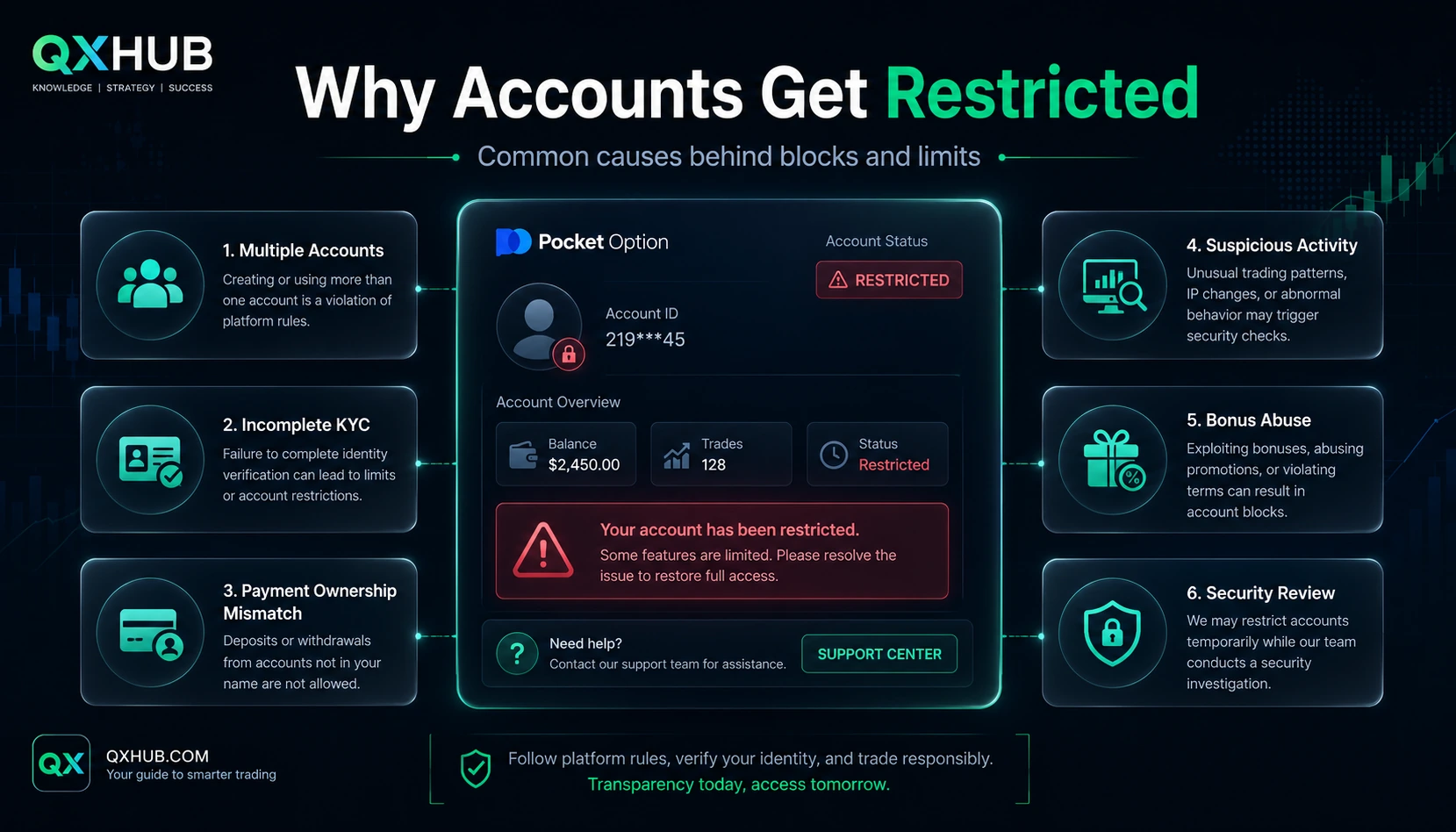
Only Pocket Option can confirm the exact reason for a specific account, but the Public Offer, Payment Policy, AML/KYC Policy and official support guidance point to major categories. The first is multiple accounts: the Public Offer prohibits more than one trading account per client, and the Payment Policy says duplicate accounts may lead to account and fund freezes without withdrawal rights. Creating a new account after a verification delay can make the original issue worse, and different emails or devices do not automatically make a second account acceptable.
4. Verification and document issues
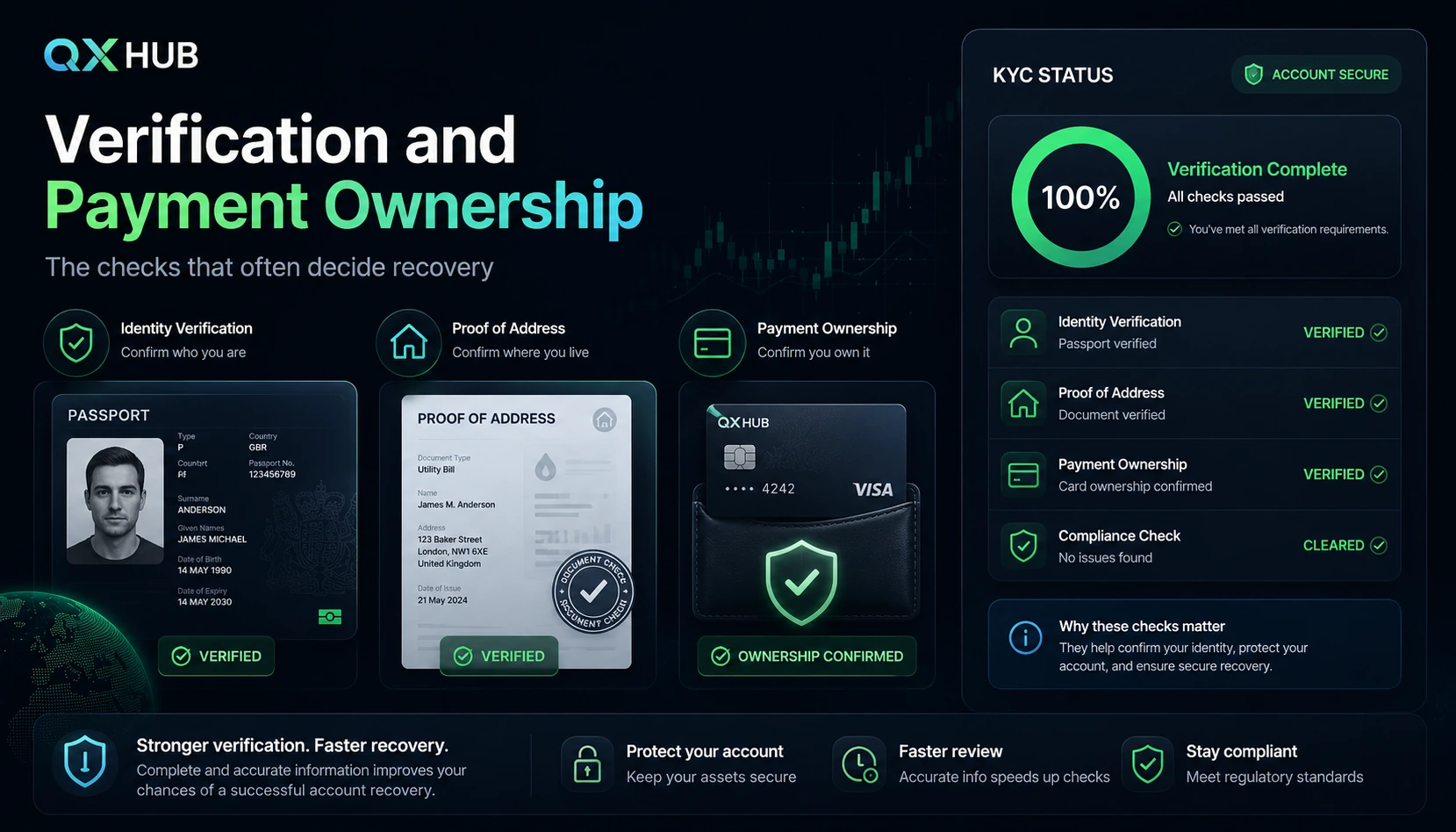
Pocket Option can verify identity and residence using documents, phone calls or other methods needed to confirm identity and financial activity. The Payment Policy can require identification documents, full copies of ID pages and evidence such as payment bills, bank confirmations or card scans. Verification problems often affect withdrawals first, but can restrict broader account functions. Common issues include name, birth date or country mismatch, missing or old address proof, blurry or edited document photos, card or wallet ownership mismatch, and ignored requests for additional documents.
5. False data and payment ownership problems
The Public Offer requires correct personal data and allows identity and residence checks. A nickname, shortened name, wrong country, inaccessible email or incorrect phone number can become serious when the account needs recovery. Do not edit documents to match profile mistakes; if the mismatch is legitimate, explain it with supporting documents. Payment ownership also matters: transactions should use a source belonging to the client, and withdrawals should generally return through the same account, bank or card used for deposit. A friend card, relative wallet or business account can trigger a review even when there was no bad intent.
6. Fraud, security and regional checks
The Payment Policy allows cancellation and account freezing if fraud is detected during or after a financial transaction. The Public Offer prohibits fraudulent activity, website vulnerability abuse, bonus speculation, abusive trading and other conduct intended to gain profit through methods not instructed by the company. Chargebacks, disputed deposits, conflicting payment sources, technical exploit attempts, bonus abuse, unusual login patterns or unauthorized access can all lead to review. Regional or legal restrictions can also affect access, payment methods and features depending on country, residence data, law and provider availability.
7. How to diagnose the exact status
Before contacting support, build a short evidence file. Write down the exact message on screen without paraphrasing. Check whether you can access account, Profile, Finance, Verification and Support. Record what is blocked: login, trading, deposit, withdrawal, bonus, copy trading or document upload. Check registered email and spam for verification, payment or security messages. Review the last action before the block: deposit, withdrawal, document upload, bonus activation, login from a new device or profile change. Save screenshots of status, transaction history and rejection messages. List all payment methods ever used and confirm which ones are in your legal name. Check whether you or anyone in your household created another account.
8. Pocket Option account recovery checklist
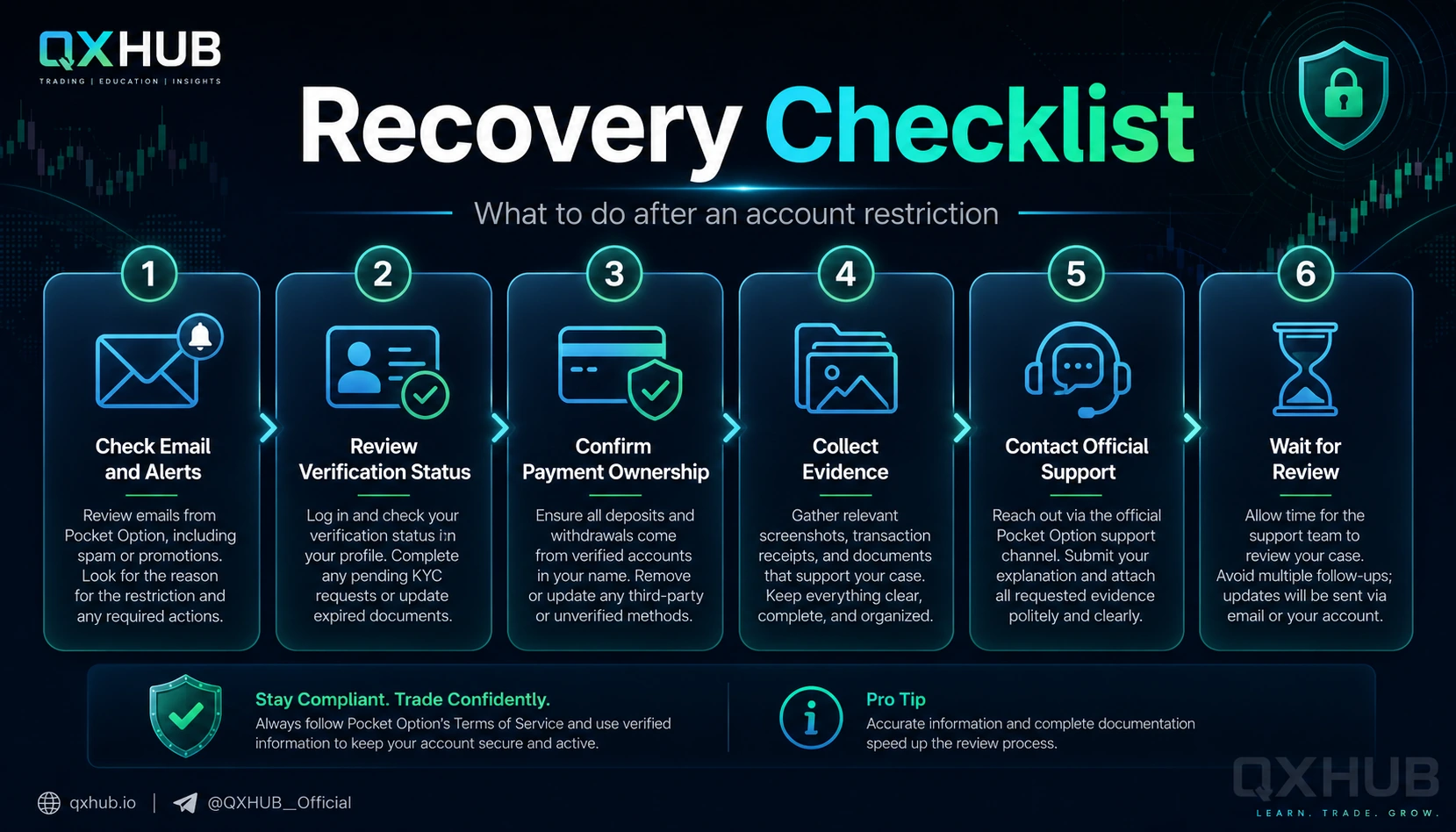
There is no guaranteed recovery path for every block, but a clean sequence gives the best chance. Stop changing variables: do not open a new account, change devices repeatedly, submit new withdrawals or create multiple tickets. Secure your registered email, phone and device; if compromise is possible, say that clearly. Identify the category: login access, KYC, payment ownership, duplicate account, security review or Public Offer violation. Complete visible verification requests first. Replace the specific rejected document. Prepare proof that card, bank account or e-wallet belongs to you. If the original payment method is closed, collect issuer evidence and ask support for an approved alternative. If multiple accounts are mentioned, explain the full situation honestly: old account, family member, duplicate registration mistake or accidental re-registration.
9. Support message example
Use one concise request through the Support section or official Contacts page. Example: ?Hello Pocket Option Support, my account became blocked or restricted on [date and time]. The exact message shown is: [copy the message]. I can currently [list what works] and cannot [list blocked functions]. The last relevant action before the restriction was [deposit, withdrawal, document upload, login or profile change]. I attached screenshots of the message, verification status and relevant transaction history. Please confirm the reason for the restriction and the exact documents or steps required from me. Thank you.? Keep replies in the same case and wait for a specific answer.
10. What not to do after an account block
Do not create a second Pocket Option account. Do not use a friend or relative account to contact support or withdraw funds. Do not submit fake, edited or borrowed documents. Do not repeatedly upload the same rejected file. Do not open many support tickets with contradictory explanations. Do not threaten support, publish private data or pay Telegram, WhatsApp or social-media recovery agents. Do not share password, 2FA codes, CVV, PIN, seed phrase or private keys. Do not keep depositing money while account access or withdrawals are restricted.
11. When recovery may be difficult or impossible
Some restrictions are temporary; others may be final if the company concludes that a core rule was broken. Recovery may be difficult or impossible with confirmed multiple accounts, overlapping identity or payment methods, false or edited documents, third-party payment methods that cannot be explained, chargebacks, payment fraud, conflicting ownership of funds, exploit attempts, threats, abusive communication, official account closure, or inability to prove access to the registered email or payment source. Avoid promises such as ?unblock any account instantly.? A realistic page gives a calm recovery checklist and clear limits.
12. How to prevent future restrictions
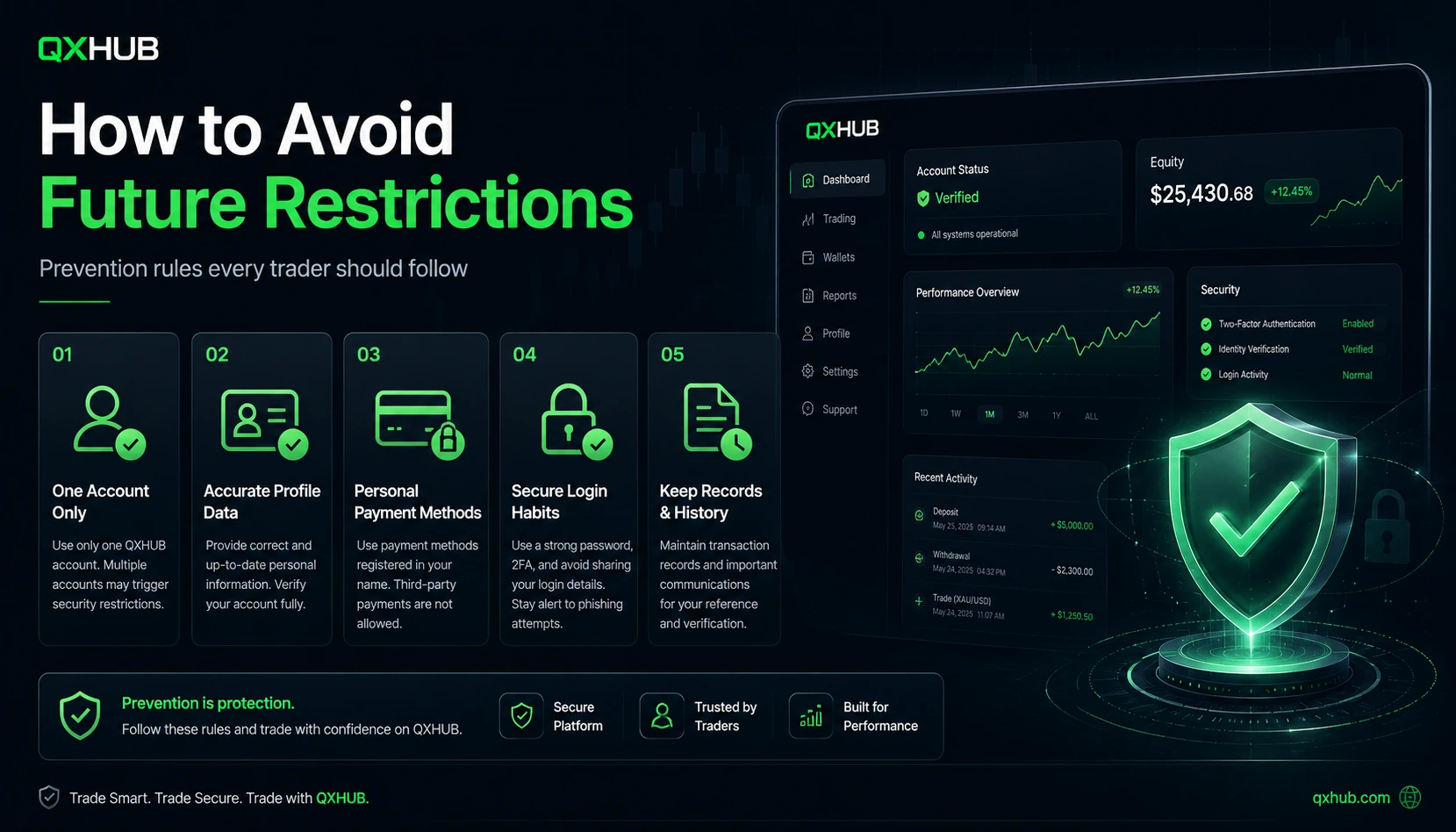
Register once and use one account only. Use your real legal name, real country and accessible contact details. Complete verification early before a large withdrawal. Deposit and withdraw only through payment methods you own. Keep evidence of deposits, withdrawals and card or wallet ownership. Avoid bonus abuse, exploit hunting and suspicious automation. Protect the registered email with a strong password and 2FA where possible. Do not let another person trade from your profile. Do not share access with signal sellers or managers. Read Public Offer, Payment Policy and AML/KYC Policy before large deposits.
13. Risk management: account access is operational risk
Traders usually think about market risk, but account restriction is operational risk. If a platform account is under review, funds can be unavailable while documents, payment ownership or support cases are checked. Keep emergency money outside all trading platforms. Never deposit borrowed money or money needed for rent, food, medical bills or debt payments. Test verification and payment routes with smaller amounts before scaling. Set a maximum platform balance and withdraw excess funds regularly. Pause real-money trading during a restriction if stress affects decisions. Keep a written log of deposits, withdrawals, document requests and support replies.
14. Demo practice task: account safety audit
Before you face a real restriction, run a simple account safety audit. Write your legal name and address exactly as they appear on documents. List every payment method you plan to use and confirm each one is in your own name. Check whether you ever created another Pocket Option account. Create a secure folder for ID, address proof, card or wallet ownership and support screenshots. Draft a support message using facts only: date, status, account ID, screenshot and question. Set a maximum platform balance and a withdrawal routine. Write down three things you will never share with support: password, CVV and one-time code.
15. Final advice and fact-check note
A blocked Pocket Option account should be handled like a support case, not like a trading emergency. First identify the exact status, then organize evidence, then contact the official support route once with a complete explanation. The cleaner your identity, payment and transaction trail, the easier it is for support to understand what happened. This guide was reviewed on July 9, 2026 against Pocket Option Public Offer, Payment Policy, AML/KYC Policy, Contacts page, customer-care guidance, verification-timing guidance and the blocked-account notice. Rules and interfaces can change, so always verify current official documents before depositing or trading.
Quick answers
Why is my Pocket Option account blocked?
Possible causes include multiple accounts, incomplete KYC, false or inconsistent data, third-party payment methods, suspicious financial activity, security review, regional restrictions or a Public Offer violation. Only official support can confirm the exact reason.
Can a blocked Pocket Option account be recovered?
Sometimes, if the issue is missing documents, payment ownership evidence or a security check. Recovery is not guaranteed if the account was blocked for confirmed multiple accounts, fake documents, fraud or serious agreement violations.
Should I create a new account if mine is blocked?
No. Pocket Option documents prohibit more than one trading account per client, and the Payment Policy says duplicate accounts may be frozen without withdrawal rights.
What should I do first after a block?
Copy the exact message, secure your email, check whether Support is accessible, review verification and payment status, and prepare screenshots before contacting support.
Can a withdrawal issue block my account?
A withdrawal can trigger verification, payment-method or AML review. If the method or owner details do not match the account holder, broader restrictions may appear.
Can I use someone else?s card or wallet?
No clean account workflow should rely on third-party payment methods. The Payment Policy requires transactions to use sources belonging to the client and bank or e-wallet withdrawals to go to the client?s own account.
What documents can Pocket Option request?
The company can request identity documents, full copies of ID pages and other documents such as payment bills, bank confirmations or bank-card scans when needed for identification.
How long does verification take?
Official guidance says identity verification can take up to 24 hours, while address or card verification can take up to 48 hours, but actual timing depends on workload and document quality.
What if the block page says Public Offer violation?
Read the Public Offer, identify which rule might be relevant, and contact support with a calm explanation and evidence. Do not send threats or create another account.
Can Pocket Option freeze funds for duplicate accounts?
The Payment Policy says the company may freeze accounts and funds if duplicate customer accounts are detected.
Can I contact Pocket Option by phone?
Official support guidance says there is no universal public customer-service phone number. Users should use platform support, official email routes or the official Contacts page.
What should I include in a support request?
Include registered email or account ID, exact message, date and time, affected functions, recent actions, transaction IDs, verification status and screenshots. Never include passwords, CVV, PINs or one-time codes.
Can support unblock me instantly?
Do not expect instant unblocking. Support may need to review identity, payment ownership, account history or policy compliance.
What if I lost access to my registered email?
Use the official Contacts or support route and explain the email-access issue. Be ready to prove account ownership through identity and payment evidence.
How do I avoid future blocks?
Use one account, accurate personal data, personal payment methods, early verification, secure login habits and clear records of deposits and withdrawals.
Next step
If the comparison is clear, continue with the broker that fits your trading routine. Review the full broker page first, then open the account through the protected route.