Alpari demo account
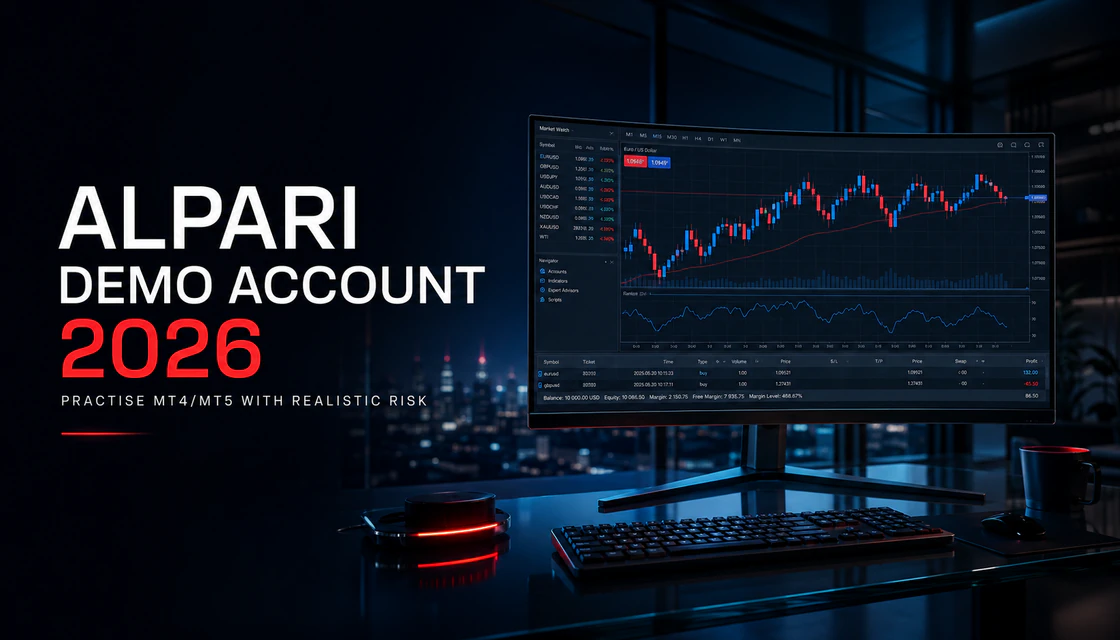
Alpari Demo Account 2026: MT4/MT5 Setup and Practice Guide
Learn how to open and use an Alpari demo account on MT4 or MT5, practise realistic risk, solve login problems, and follow a seven-day training plan.
Key points
- Alpari's current official materials describe a free practice account with virtual funds and access through MT4 and MT5, but availability and instruments can vary by entity and country.
- Choose one platform, instrument and setup, then size every practice position from a realistic loss limit rather than the maximum virtual balance.
- Judge demo work by rule adherence, risk consistency and execution quality—not one profitable week—and recheck live costs, verification and payment rules separately.
Alpari Demo Account: the useful answer first
Alpari offers a free practice environment with virtual funds and no real-money deposit requirement. Its current official materials present demo access across MetaTrader 4, MetaTrader 5, and the Alpari app, with prices designed to reflect live market conditions. That makes it suitable for learning the terminal, testing order mechanics, and building a repeatable routine before considering a live account.
The important limitation is that a demo account removes the emotional and execution pressure of real money. It can reproduce buttons, charts, and much of the market workflow; it cannot perfectly reproduce fear, slippage, liquidity changes, live commissions, payment rules, or the temptation to interfere with a losing position. Treat demo as a laboratory—not evidence that future live results are guaranteed.
What is the Alpari demo account?
An Alpari demo account is a simulated trading account connected to a practice server. It uses virtual money, so opening or closing a position does not move real funds. The terminal still lets you observe quotes, build charts, place market and pending orders, apply stop-loss and take-profit levels, and review account history. The official Alpari demo page says the environment uses real market prices and requires no deposit.
This is materially different from a binary-options demo. Alpari is presented on QXHUB as a classic forex/CFD comparison point. In MT4 or MT5, you normally manage volume, margin, leverage, stop distance, open profit or loss, and position duration. There is no fixed expiry that automatically ends every decision. A beginner therefore needs to learn position management as well as entry timing.
What demo can teach well
- How to log in to the correct trading server and distinguish a practice account from a live account.
- How symbols, contract sizes, lots, points, spreads, margin, stop-loss, take-profit, and pending orders interact.
- How to build a clean workspace with only the instruments and tools required by one strategy.
- How a written setup performs across a sample of trades rather than one attractive screenshot.
- How to use a journal, calculate rule adherence, and stop a session when conditions are poor.
What demo cannot prove
- That the same strategy will remain profitable in live markets.
- That live execution, spreads, swaps, commissions, or slippage will always match the practice environment.
- That a trader will make the same decisions when real money and real emotions are involved.
- That the broker, account type, instruments, or payment methods are available under every legal entity or in every country.
- That a large virtual return came from skill rather than excessive leverage or a favourable short sample.
Alpari MT4 vs MT5 demo: which should you choose?
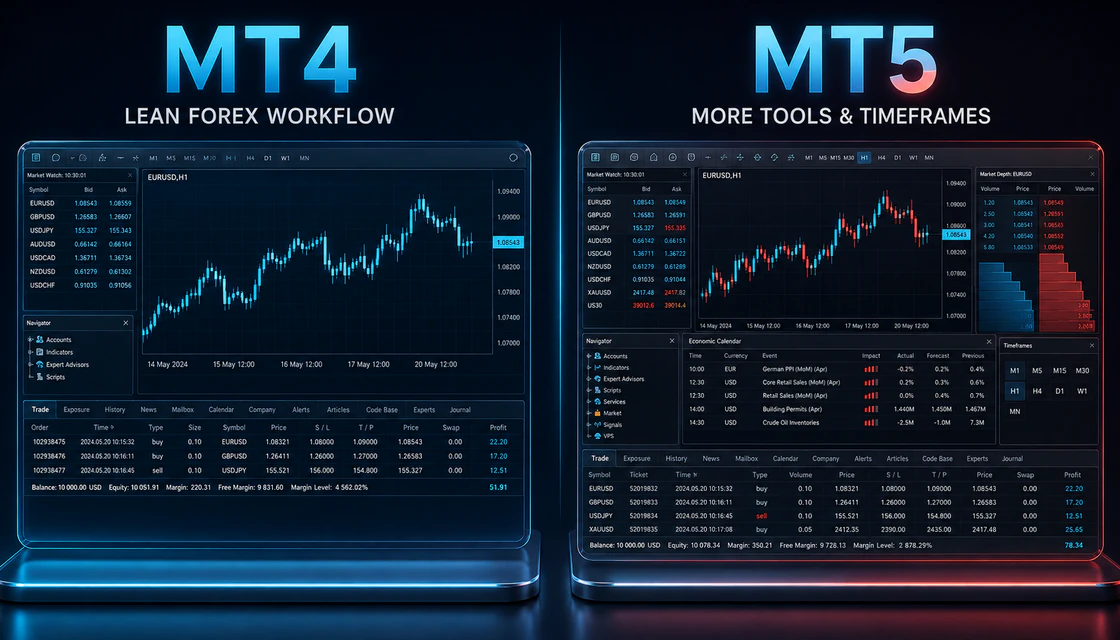
Alpari currently advertises practice access on both MetaTrader 4 and MetaTrader 5. These platforms overlap, but they are not interchangeable accounts. Credentials, server names, available symbols, and account architecture can differ. Create the practice account for the platform you actually intend to use and download the terminal from the official Alpari route.
Platform facts above are based on MetaQuotes’ official MT4/MT5 comparison. Actual instruments and trading conditions remain broker- and entity-specific. A feature existing in MT5 does not mean every Alpari account exposes it for every symbol.
| Decision point | MT4 demo | MT5 demo |
|---|---|---|
| Best fit | Focused forex workflow and familiarity with the older terminal ecosystem. | Broader multi-asset workflow and deeper native analysis tools. |
| Timeframes | 9 standard timeframes. | 21 timeframes, including additional minute and hour intervals. |
| Order tools | Core market and pending-order workflow. | More pending-order types and additional fill-policy flexibility. |
| Market depth | No native Depth of Market equivalent in the standard comparison. | Depth of Market and Time & Sales where the broker and symbol support them. |
| Calendar | Use an external economic calendar or broker feed. | Built-in economic calendar is part of the platform feature set. |
| Automation | MQL4 Expert Advisors and single-thread strategy testing. | MQL5, multi-threaded and multi-currency testing capabilities. |
| Choose it when | You need a lean forex practice desk and already know MT4. | You want the newer terminal, more analysis granularity, or a wider product workflow. |
How to open an Alpari demo account safely
The exact labels can change as Alpari updates its client area. Use the workflow below rather than relying on an old screenshot. If the menu wording differs, use official help or support instead of entering credentials into a third-party page.
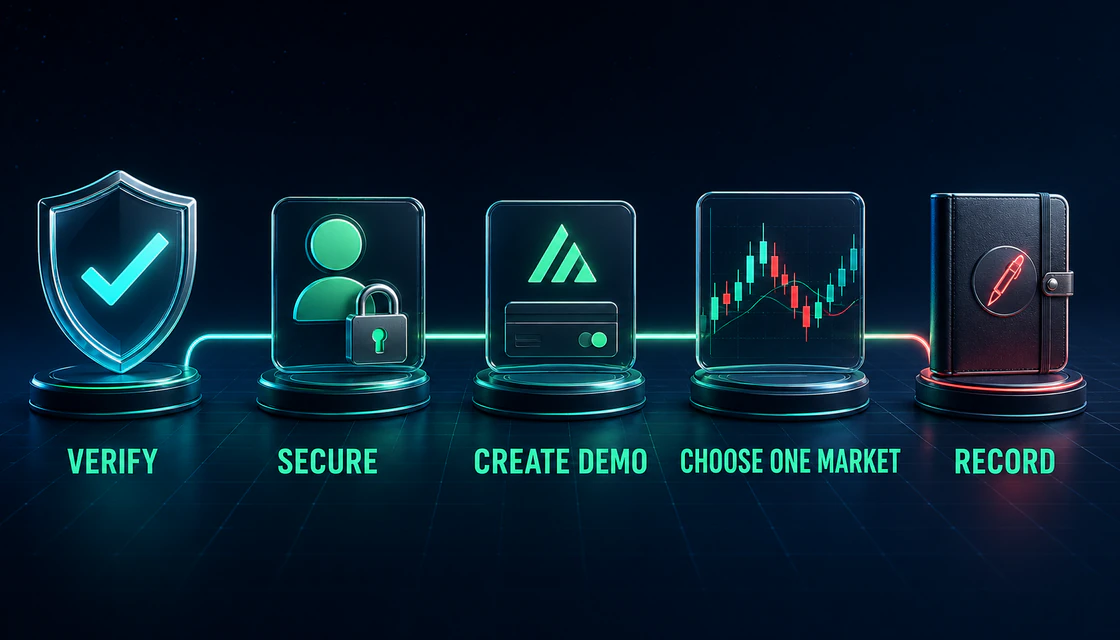
- Confirm the official route and legal context.
Open the current Alpari website directly, read the risk disclosure, and confirm country availability. The Alpari brand can be associated with different entities or regional routes; do not assume a review written for one entity describes another.
- Create or enter your personal client area.
Use your own email, strong unique password, and accurate information. Secure the email account as carefully as the broker profile because password resets usually depend on it.
- Choose a practice or demo trading account.
Do not select a live account by accident. Confirm that the balance is virtual and that no deposit is required. Record the platform and server shown after creation.
- Select MT4 or MT5 deliberately.
Choose the platform that matches your future workflow. Do not create several accounts simply to chase whichever historical result looks best.
- Set realistic parameters.
If the setup screen allows balance, currency, leverage, or account settings, make them close to a plausible live plan. A $100,000 virtual account teaches little if the realistic future deposit would be $300.
- Download from an official source and log in.
Install the appropriate desktop, web, or mobile terminal. Use the trading-account number, trading password, and exact demo server—not the client-area password unless Alpari specifically instructs otherwise.
- Save a clean account record.
Store the account number, platform, server, creation date, and training objective in a password manager or secure note. Never share a trading password or remote-access control with a “manager” from social media.
Build a demo account that teaches realistic risk
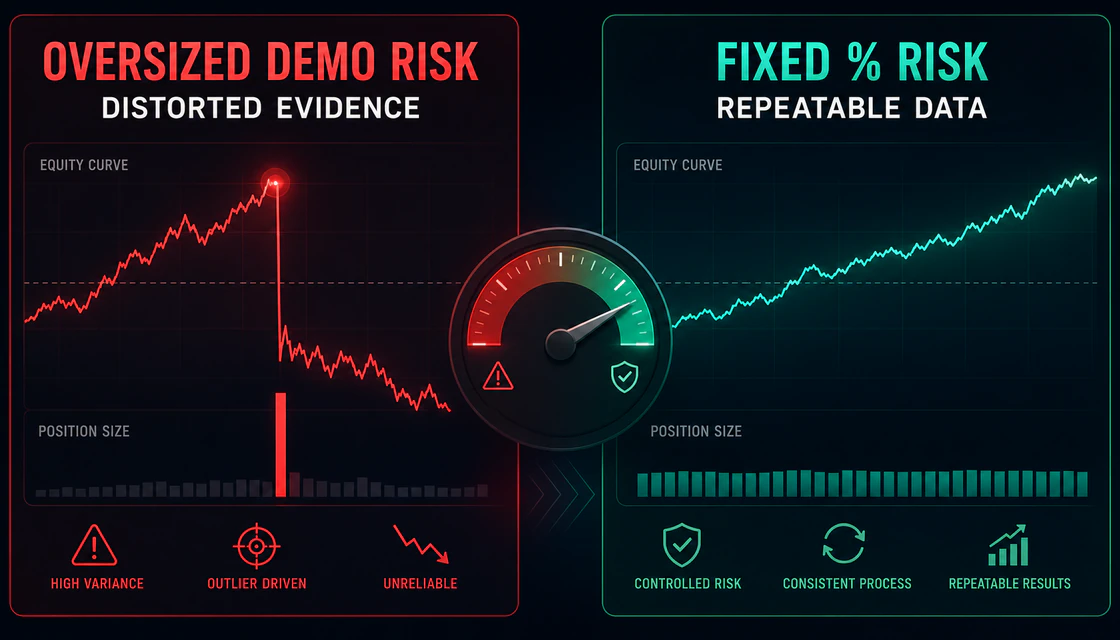
The largest demo-account mistake is using the virtual balance as permission to trade at a scale the trader would never tolerate with real money. That changes every decision. Stops become decorative, a losing position feels harmless, and a single successful trade can dominate the account history.
Use risk per trade, not a random lot size
Define the amount you are prepared to lose if the stop-loss is hit, then calculate position size from that amount and the stop distance. For a beginner practice plan, 0.25%–1% of the demo balance per trade is a reasonable educational range, not a promise or universal recommendation. The lower end gives more room to observe mistakes without one position controlling the sample.
Match the future operating environment
- Use the same device you expect to use most often, but complete the first setup on desktop when possible.
- Trade during the session you can realistically attend rather than cherry-picking perfect historical hours.
- Include the same economic-news restrictions you intend to use live.
- Use only the symbols that exist on the selected demo server and verify their contract specifications.
- Record spreads and any visible commission or swap assumptions; recheck them before any future live step.
- Stop after the same daily loss, trade count, or rule violation that would end a live session.
A practical one-setup demo workflow
A useful demo session begins before the chart moves. The workflow below can be adapted to trend pullbacks, breakouts, support-and-resistance reactions, or another clearly defined setup. What matters is that every decision is observable and repeatable.
1. Define the market
Choose one liquid instrument and one session. For example, EUR/USD during the London–New York overlap. Avoid jumping from forex to gold to crypto because the first trade lost.
2. Define context
Write the trend, range, or transition condition you require. Mark the level before price reaches it. If the context is unclear, the correct output is “no trade.”
3. Define the trigger
Specify the completed-candle, break-and-retest, indicator, or order-flow condition that permits entry. “It looks ready” is not a testable trigger.
4. Define invalidation
Place the stop where the trading idea becomes wrong, not where the desired lot size becomes affordable. Then calculate size from the stop distance.
5. Define management
Decide in advance whether you will use a fixed target, trailing logic, partial exit, or time-based exit. Do not combine several management styles inside one small sample.
6. Record the decision
Capture a before screenshot, the reason for entry or skip, risk, spread, result in R-multiples, and whether every rule was followed.
7. Review process first
A losing trade that followed the plan is valid data. A winning trade that broke the plan is a process failure. Separate execution quality from outcome.
When to skip a demo trade
- You cannot state the setup, trigger, stop, target or management rule in one short note.
- A high-impact event for the instrument is close enough to distort the planned entry or stop.
- The spread is unusually wide, the quote feed is unstable, or the market is outside the tested session.
- The position size exceeds the written risk cap because the stop distance is large.
- You are trying to recover the last demo loss, increase activity after boredom, or prove that the strategy works today.
- The symbol specifications or contract value are unclear. Learn the instrument before testing the setup.
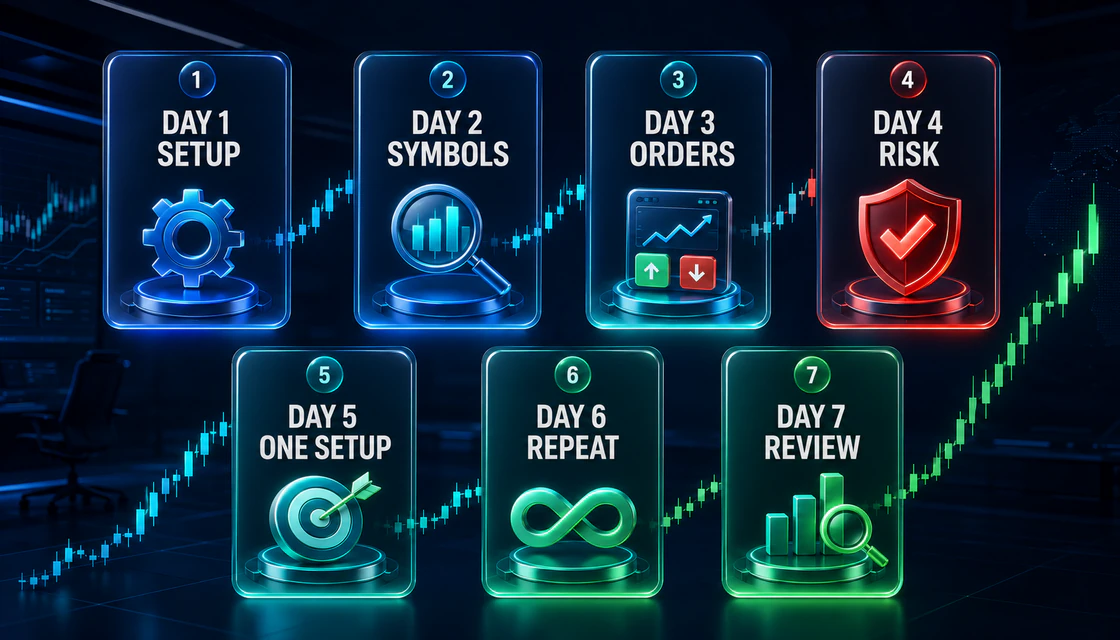
Seven-day Alpari demo practice plan
| Day | Focus | Required work | Pass condition |
|---|---|---|---|
| 1 | Terminal control | Log in, confirm demo server, build watchlist, open chart, place and cancel a pending order, set SL/TP, find history. | No accidental live route or wrong server. |
| 2 | Instrument rules | Choose one symbol; record session, spread, contract size, point/pip value, margin behaviour, and news drivers. | You can calculate risk before entry. |
| 3 | Setup definition | Write context, trigger, invalidation, target/management, and six skip rules. Collect chart examples without trading. | Another person could apply the rule. |
| 4 | Controlled sample | Take no more than three valid trades. Risk the same percentage. Record before/after screenshots and R result. | 100% journal completion. |
| 5 | No-trade skill | Observe one full session and record every valid skip. Trade only if the written setup is complete. | No boredom or revenge entry. |
| 6 | Repeatability | Repeat Day 4 under the same conditions. Do not optimize the rules after each outcome. | Same process after wins and losses. |
| 7 | Review | Calculate rule adherence, average R, largest loss, mistake count, and sample limitations. Choose one improvement. | Decision based on process, not balance. |
How to measure the demo result
A seven-day plan is an onboarding test, not enough evidence to declare a strategy profitable. Continue until you have a meaningful sample across different sessions and conditions. Track these process metrics:
- Rule adherence rate: fully compliant trades divided by all trades.
- Skip adherence: valid skips respected divided by all valid skips identified in real time.
- Average risk in account percentage and whether any position exceeded the cap.
- Average result in R-multiples, not only currency, so trades with different stop distances remain comparable.
- Maximum drawdown and consecutive losses, including whether behaviour changed during the sequence.
- Execution errors: wrong volume, missing stop, wrong symbol, wrong order direction, duplicate order, or accidental one-click action.
Common Alpari demo login and platform problems
Most demo access problems are operational rather than strategic. Solve the account connection before judging the platform or changing the setup.
“Invalid account” or “authorization failed”
Confirm that the account belongs to MT4 or MT5, use the trading password rather than an unrelated profile password, and select the exact server shown in the client area. Copying an MT5 account into MT4 will not work.
The correct server is missing
Refresh the server list, search by the broker name inside the terminal, or reinstall from the official broker download route. Do not download a modified terminal from an advertisement or file-sharing site.
No connection or frozen quotes
Check internet access, terminal connection status, symbol market hours, and firewall/VPN interference. Restart the terminal only after saving logs or screenshots that support a help request.
Symbols are not visible
Open Market Watch, show all available symbols, then check whether the selected demo account type supports the instrument. Symbol suffixes can vary by server or account type.
Orders are rejected
Review market hours, minimum/maximum volume, volume step, available margin, stop-level distance, price validity, and whether the symbol is tradeable on that account.
The demo account disappeared or stopped working
Practice accounts may be archived after inactivity or affected by broker policy changes. Check the current official help center and create a new practice account if instructed; do not assume old credentials remain permanent.
Beginner mistakes that make demo evidence useless
- Using an unrealistic virtual balance: A huge balance hides the psychological and mathematical effect of position size.
- Changing leverage to rescue poor sizing: Leverage changes margin capacity; it does not make market risk disappear.
- Testing several strategies at once: The account history cannot identify which rule caused the result.
- Judging the plan by win rate alone: Profit factor, average R, drawdown, costs, and rule adherence can contradict a superficially high win rate.
- Ignoring transaction conditions: A setup tested without realistic spreads, commissions, swaps, and slippage assumptions may have no usable edge.
- Moving from demo after one good week: Short samples are dominated by luck and one market regime.
- Treating automated tests as live proof: Backtests, Expert Advisors, and demo forward tests each answer different questions. None removes live execution and model risk.
- Opening live access to create emotion: If discipline exists only when money is at risk, the practice process is incomplete—not too comfortable.
Demo-to-live checklist
Passing this checklist does not mean live trading is safe or profitable. It means the next decision is based on a defined process rather than novelty.
- ☐ I verified the official Alpari entity, current country access, risk disclosure, account terms, and support route.
- ☐ I understand whether the intended live account uses MT4 or MT5 and which instruments it actually offers.
- ☐ I can calculate position size from account risk and stop distance without guessing.
- ☐ I completed a meaningful forward sample with stable rules and no hidden deletion of losing trades.
- ☐ I recorded costs and know that live spreads, slippage, swaps, and commissions may differ from demo.
- ☐ I followed the daily stop after a losing sequence and did not increase risk to recover.
- ☐ I know the deposit, withdrawal, verification, and payment-account ownership rules for my region.
- ☐ I can afford to lose the entire trading allocation without affecting bills, debt payments, or emergency savings.
- ☐ I have a small-step plan and no expectation that demo performance guarantees live results.
Summary: use the Alpari demo as a decision laboratory
The strongest reason to open an Alpari demo account is not to experience a large virtual balance. It is to learn the account route, MT4 or MT5 mechanics, symbol specifications, order controls, risk sizing, and review discipline without placing real capital at risk.
Start with one platform, one instrument, one setup, and one fixed risk rule. Record every entry and every skip. After the first week, review whether your process remained stable—not whether the account finished green. Continue practising until the evidence is large enough to expose weak rules, poor execution, and emotional changes. Only then should a trader even consider the separate questions of legal availability, live-account costs, verification, deposits, and withdrawals.
Quick answers
Is the Alpari demo account free?
Alpari’s official demo materials currently describe practice access as free and requiring no real-money deposit. Confirm the current terms on the official site because account availability can change by entity or region.
Can I use Alpari demo on MT4 and MT5?
Alpari currently advertises demo access on both platforms. Create the correct practice account for the platform you plan to use; an MT4 account cannot simply be logged into MT5, or vice versa.
Does Alpari demo use real market prices?
The official Alpari demo page says the practice environment uses real market prices. Execution and account conditions can still differ from live trading, particularly during volatility or low liquidity.
Do I need KYC for an Alpari demo account?
The demo creation route may require a client profile, while full verification requirements are more commonly connected to live accounts and payments. Follow the current instructions for your entity and do not assume another region has the same rules.
What virtual balance should I choose?
Choose a balance close to a plausible future trading allocation. The point is to practise realistic position sizing, not to maximize virtual buying power.
Which is better for beginners: MT4 or MT5?
MT4 can feel simpler for a focused forex workflow. MT5 offers more timeframes, order functionality, market-depth features, and a built-in calendar. The better choice is the platform that matches the intended account and learning goal.
Why does my demo result differ from a backtest?
A backtest applies rules to historical data, while a demo forward test exposes timing, execution, and human decision errors. Data quality, spread assumptions, slippage, and changing market regimes can also create differences.
Can profitable demo results guarantee live profits?
No. Demo results do not guarantee future performance. Live emotions, execution, costs, liquidity, and rule violations can materially change the outcome.
How long should I use the demo account?
Use it until platform errors are rare and the same written process survives a meaningful sample, losing sequences, quiet sessions, and different market conditions. A fixed number of days alone is not evidence.
What should I do if MT4 or MT5 says “invalid account”?
Check the platform version, account number, trading password, and exact demo server. If those match and access still fails, use Alpari’s official help or support route.
Next step
Choose a topic by task: brokers for platform selection, guides for access, strategies for setups, risk for discipline and investing for longer market logic.